


|
|
 |
|
Welcome to the GSM-Forum forums. You are currently viewing our boards as a guest which gives you limited access to view most discussions and access our other features. Only registered members may post questions, contact other members or search our database of over 8 million posts. Registration is fast, simple and absolutely free so please - Click to REGISTER! If you have any problems with the registration process or your account login, please contact contact us . |
| |||||||
| Register | FAQ | Donate | Forum Rules | Root any Device | ★iPhone Unlock★ | ★ Direct Codes ★ | Direct Unlock Source | Mark Forums Read |
 |
| | LinkBack | Thread Tools | Display Modes |
 01-11-2008, 20:28
| #47 (permalink) |
| No Life Poster   Join Date: Jun 2004 Location: Azerbaijan Age: 38
Posts: 3,958
Member: 68498 Status: Offline Thanks Meter: 152 | Repaired one Chinese 6500 which was restarting.Formatting didn't help so I flashed phone with CM_Nokia-N6500_MTK26_05C_MASTER_PCB01_GPRS_MT6226_S01.MAUI_ 05C_W06_16_16m_En_Ru_Fr_Es_Th_Vn_Pt_Ar.B0M Here is the log COM4 [Serial2] selected Device: Autodetect 6205-6227 NOR Checking data, wait... advanced flash detection enabled Action: write NOR flash write: Firmware skip: Customization skip: Language Pack skip: Eeprom/ffs Boot... Press and HOLD Power button now ! Connecting, wait... Initializing[6226:8A02:8A01]... CPU: MT6226 chip: 0031:58C6:C5CB high speed disabled boot step size: 0002 Release Power button now ! Boot Done Initialize... detecting chip #00 in region #00... flash: 01227E22202200:29EA0000000000 flash: Amd AMD/Fujitsu std [D 0004x010000 003Ex040000 0004x010000] 16Mb detecting chip #01 in region #00... flash: 01227E22202200:29EA0000000000 flash: Amd AMD/Fujitsu std [D 0004x010000 003Ex040000 0004x010000] 16Mb number of flash chip/regions detected: 02/01 Initialize Done Set baud... 921600 Set baud Done Identification... detect device identification#1... detection phase #1... detect device identification#1 finished identification#1 structure: 2nd [enhanced] generation security area#1 is Ok security area#1 backup saved: D:\Program Files\InfinityBox\ChineseMiracle\backup_security\i d.E188537E.[MTK26_05C_MASTER_PCB01_GPRS_MT6226_S01.MAUI_05C_W0 6_16.BIN_EA09F55F].rpl identification#1 detection finished device-id: E188537E identification#1 protocol ver: 04 ver. sw1: MTK26_05C_MASTER_PCB01_GPRS_MT6226_S01.MAUI_05C_W0 6_16.BIN ver. sw2: MAUI.05C.W06.16 ffs offset/size: 00E00000/00200000 detect device identification#2... detection phase #1... . warning: optional information not found detect device identification#2 finished detecting languages... language parameters detected detected languages: En Ru Fr Es Th Vn Pt Ar Identification Done Manipulation... Manipulation Done Finalization... Finalization Done Write... detect device identification#2... detection phase #1... . warning: optional information not found detect device identification#2 finished security area#1 calculation... done file saved: D:\Program Files\InfinityBox\ChineseMiracle\backup_system_log _E188537E_MTK26_05C_MASTER_PCB01_GPRS_MT6226_S01.M AUI_05C_W06_16.BIN_EA09F55F_20080111-224314.B0X.bin Area: Firmware flash: 01227E22202200:29EA0000000000 Write: Firmware Write Done file saved: D:\Program Files\InfinityBox\ChineseMiracle\backup_system_log _E188537E_MTK26_05C_MASTER_PCB01_GPRS_MT6226_S01.M AUI_05C_W06_16.BIN_EA09F55F_20080111-225056.B0X.bin Finished, time used: 523 sec Remove/Install battery now ! |
 |
| The Following 2 Users Say Thank You to systemworm For This Useful Post: |
|
01-17-2008, 03:05
| #48 (permalink) |
| No Life Poster Join Date: Sep 2005 Age: 59
Posts: 733
Member: 185776 Status: Offline Thanks Meter: 73 | Its a money making machine.Very fast reply,they r helping new users with smiling face,they r working round a clock.USers are very happy with INFINITY TEAM.VERY GOOD SUPPORT TEAM. |
| |
|
01-17-2008, 03:26
| #49 (permalink) |
| No Life Poster  Join Date: Nov 2004 Location: Pinas Age: 45
Posts: 1,412
Member: 91411 Status: Offline Sonork: 100.1584444 Thanks Meter: 372 | ok now heres my first success story for chinese miracle and hope more to come.thanks infinity plus for the support.more power.... heres a common scenario for china phones.problem hangs/turns off when inserted with simcard.this is a reference for us all.... first step disassemble the unit and look for the pinouts of the unit....in my case N95 dualsim not sliding china phone...  then connect the phone and now read full flash for back up purposes LOGS COM60 [VCP0] selected Device: Autodetect 6205-6227 NOR Checking data, wait... advanced flash detection active Action: read NOR flash Boot... Press and HOLD Power button now ! baud autodetection active 19200 Connecting, wait... Initializing[6226:8A02:8A01]... chip: 0031  5F3:82FA 5F3:82FAhigh speed disabled boot step size: 0002 Release Power button now ! Boot Done Initialize... detecting chip #00 in region #00... flash: EC257E25082501:29EA0000000000 flash: Samsung AMD/Fujitsu std [D 0008x002000 00FEx010000 0008x002000] 16Mb detecting chip #01 in region #00... flash: EC257E25082501:29EA0000000000 flash: Samsung AMD/Fujitsu std [D 0008x002000 00FEx010000 0008x002000] 16Mb number of flash chip/regions detected: 02/01 Initialize Done Set baud... 921600 Set baud Done Identification... device parameters autodetection in progress.. detecting chip #00 in region #00... flash: EC257E25082501:29EA0000000000 flash: Samsung AMD/Fujitsu std [D 0008x002000 00FEx010000 0008x002000] 16Mb detecting chip #01 in region #00... flash: EC257E25082501:29EA0000000000 flash: Samsung AMD/Fujitsu std [D 0008x002000 00FEx010000 0008x002000] 16Mb it's time to stop: 290000EA18F09FE518F09FE518F09FE518F09FE518F09FE5 number of flash chip/regions detected: 01/01 total flash region size: 01000000 detect device identification#1... detection phase #1... detect device identification#1 finished identification#1 structure: 2nd [enhanced] generation security area#1 Ok security area backup saved: id.88D480C6.[E553_B2ARAB_E553_GPRS_MT6226_S01.01_1.BIN_4A49BC24].rpl New firmware detected: E553_B2ARAB_E553_GPRS_MT6226_S01.01_1.BIN - make "Repair security area" operation - send "backup_system_log_..." file to support - make "Read full flash" operation - send flash backup file(s) to support - include in your e-mail full text from phone back label (phone name etc.) identification#1 detection finished device-id: alfox identification#1 protocol ver: 04 ver. sw1: E553_B2ARAB_E553_GPRS_MT6226_S01.01_1.BIN ver. sw2: E553_B2ARAB.01.1 ffs offset/size: 00800000/001FF000 detect device identification#2... detection phase #1... . warning: optional information not found detect device identification#2 finished detecting eeprom/ffs area in 1 chip(s)... standard eeprom/ffs offset detected: 00800000 flash: EC257E25082501:29EA0000000000 checking area[00000000]: 00000000-00FFFFFF... eeprom/ffs found near: 00E00000 Detected eeprom/ffs address is non-standard: 00E00000 Posible reasons: 1. eeprom is Ok but address is non-standard 2. eeprom damaged and can't be detected 3. eeprom is Ok but detected incorrectly (f.e. unknown eeprom structure) If you are not sure that detected address is correct: 1. press "NO" (and select standard address or terminate current operation) 2. make flash backup for emergency case 3. repeat required operation Are you sure that detected eeprom address is correct ? autodetected eeprom/ffs address[00E00000] confirmed by user detecting eeprom/ffs size... eeprom/ffs size: 00200000 ffs chip: 00 eeprom/ffs area: 00000000:00E00000-00FFFFFF reading [flash[E553_B2ARAB_E553_GPRS_MT6226_S01.01_1.BIN]]... file saved: C:\Program Files\InfinityBox\ChineseMiracle\backup_flashN95du alGood[E553_B2ARAB_E553_GP RS_MT6226_S01.01_1.BIN]_20080110-122857.B0M.bin file saved: backup_system_log_88D480C6_E553_B2ARAB_E553_GPRS_M T6226_S01.01_1.BIN_4A49BC2 4_20080110-122919.B0X.bin Finished, time used: 630 sec Remove/Install battery now ! then after back up now format the phone LOGS COM60 [VCP0] selected Action: reset settings Model: Autodetect 6205-6227 NOR Checking data, wait... Phone should be Switched OFF ! Press and HOLD Power button now ! 19200 Initializing[6226:8A02:8A01]... chip: 0031 5F3:82FAConnecting, wait... Release Power button now ! Phone detected, wait... Hardware: MT6226,E02 Date: 2005.04.12 Version: 1.0 Version: E553_B2ARAB.01.1_26S01 Version: M500Z_05C_HW detecting structure #2... done imei: 35543501019827 connection Ok building list... done items to clear: 194 172 of 194 items cleared building list... done 4 items remains Finished, time used: 137 sec Remove/Install battery now ! then after formatting write the original imei LOGS Action: imei Model: Autodetect 6205-6227 NOR Checking data, wait... Phone should be Switched ON ! Connecting, wait... Phone detected, wait... Hardware version: MT6226, E02 Hardware version: M500Z_05C_HW Software version: E553_B2ARAB.01.1_26S Software date: 2005.04.12 Barcode: MT012345678901234567 imei: 135790246811220 imei write method: mode-1 new imei: 355435010198272 imei verified Ok Finished, time used: 52 sec Power off phone now ! then change the language to english and now the phone is alright  |
| |
| The Following 2 Users Say Thank You to alfox For This Useful Post: |
|
02-02-2008, 16:23
| #50 (permalink) |
| No Life Poster Join Date: Sep 2005 Age: 59
Posts: 733
Member: 185776 Status: Offline Thanks Meter: 73 | N 98 I Restart complaint.2*5 pin.I use N77i pin ou connection and formate set.see log. ==== log opened: [2/1/2008 8:15:51 PM] ==== Application: C:\Program Files\InfinityBox\ChineseMiracle\ChineseMiracle.ex e Loading data, wait... [Infinity Box] v2.24 S/N: 08A6***xx Wait... Device: Autodetect 6205-6227 NOR Done Action: read information Model: Autodetect 6205-6227 NOR Checking data, wait... Phone should be Switched ON ! Connecting, wait... Phone detected, wait... Hardware version: MT6226, E02 Hardware version: BR26_05C_HW Software version: AIDEHE_SSD1289_OV767 Software date: 2005.04.12 Barcode: MT012345678901234567 imei: 354442573045100 Finished, time used: 9 sec Power off phone now ! WARNING ! Settings will be cleared, user data erased, Imei set to default value ! Make flash backup before this procedure ! Do you want to continue ? COM4 [VCP0] selected Device: Autodetect 6205-6227 NOR Checking data, wait... advanced flash detection enabled eeprom backup enabled, it may takes several minutes ! Action: reset Boot... Press and HOLD Power button now ! baud autodetection active 19200 Connecting, wait... Initializing[6226:8A02:8A01]... CPU: MT6226 chip: 0031:0041:99C0 high speed disabled boot step size: 0002 Release Power button now ! Boot Done Initialize... detecting chip #00 in region #00... flash: 01227E22202200:29EA0000000000 flash: Amd AMD/Fujitsu std [D 0004x010000 003Ex040000 0004x010000] 16Mb detecting chip #01 in region #00... flash: 01227E22202200:29EA0000000000 flash: Amd AMD/Fujitsu std [D 0004x010000 003Ex040000 0004x010000] 16Mb number of flash chip/regions detected: 02/01 Initialize Done Set baud... slowest Set baud Done Identification... device parameters autodetection in progress.. detecting chip #00 in region #00... flash: 01227E22202200:29EA0000000000 flash: Amd AMD/Fujitsu std [D 0004x010000 003Ex040000 0004x010000] 16Mb detecting chip #01 in region #00... flash: 01227E22202200:29EA0000000000 flash: Amd AMD/Fujitsu std [D 0004x010000 003Ex040000 0004x010000] 16Mb it's time to stop: 290000EA18F09FE518F09FE518F09FE518F09FE518F09FE5 number of flash chip/regions detected: 01/01 total flash region size: 01000000 detect device identification#1... detection phase #1... detect device identification#1 finished identification#1 structure: 2nd [enhanced] generation security area#1 is Ok security area#1 backup saved: C:\Program Files\InfinityBox\ChineseMiracle\backup_security\i d.25F2DB6B.[BR26_05C_PCB01_GPRS_MT6226_S01.BR26_35_25.BIN_D4D9 0094].rpl New firmware detected: BR26_05C_PCB01_GPRS_MT6226_S01.BR26_35_25.BIN - make "Repair security area" operation - send "backup_system_log_..." file to support - make "Read full flash" operation - send flash backup file(s) to support - include in your e-mail full text from phone back label (phone name etc.) identification#1 detection finished device-id: 25F2DB6B identification#1 protocol ver: 04 ver. sw1: BR26_05C_PCB01_GPRS_MT6226_S01.BR26_35_25.BIN ver. sw2: BR26_35.25, 6BFF262B ffs offset/size: 00E00000/00200000 detect device identification#2... detection phase #1... . warning: optional information not found detect device identification#2 finished detecting eeprom/ffs area in 1 chip(s)... standard eeprom/ffs offset detected: 00E00000 flash: 01227E22202200:29EA0000000000 checking area[00000000]: 00000000-00FFFFFF... eeprom/ffs found near: 00E00000 detecting eeprom/ffs size... eeprom/ffs size: 00200000 ffs chip: 00 eeprom/ffs area: 00000000:00E00000-00FFFFFF reading [eeprom[BR26_05C_PCB01_GPRS_MT6226_S01.BR26_35_25.BIN]]... file saved: C:\Program Files\InfinityBox\ChineseMiracle\backup_eeprom[BR26_05C_PCB01_GPRS_MT6226_S01.BR26_35_25.BIN]_20080201-203719.B0E.bin flash: 01227E22202200:29EA0000000000 Identification Done Manipulation... Manipulation Done Finalization... Finalization Done Write... formatting... flash: 01227E22202200:29EA0000000000 Write Done file saved: C:\Program Files\InfinityBox\ChineseMiracle\backup_system_log _25F2DB6B_BR26_05C_PCB01_GPRS_MT6226_S01.BR26_35_2 5.BIN_D4D90094_20080201-203749.B0X.bin Finished, time used: 1248 sec Remove/Install battery now ! |
| |
| The Following User Says Thank You to cellbhai For This Useful Post: |
|
02-03-2008, 16:31
| #53 (permalink) |
| No Life Poster  Join Date: Oct 2006 Location: INDIA
Posts: 1,094
Member: 363308 Status: Offline Thanks Meter: 79 | Successfully Format China N95 with new Picture help from Infinity Team Thanks B.Regards |
| |
| The Following User Says Thank You to GsmXplorer For This Useful Post: |
|
02-07-2008, 05:23
| #54 (permalink) |
| No Life Poster Join Date: Nov 2004 Location: Pinas Age: 45
Posts: 1,412
Member: 91411 Status: Offline Sonork: 100.1584444 Thanks Meter: 372 | heres my bwena mano for today.another china phone.i guess it really is chinese new year.kung hei fat choi pinout here: 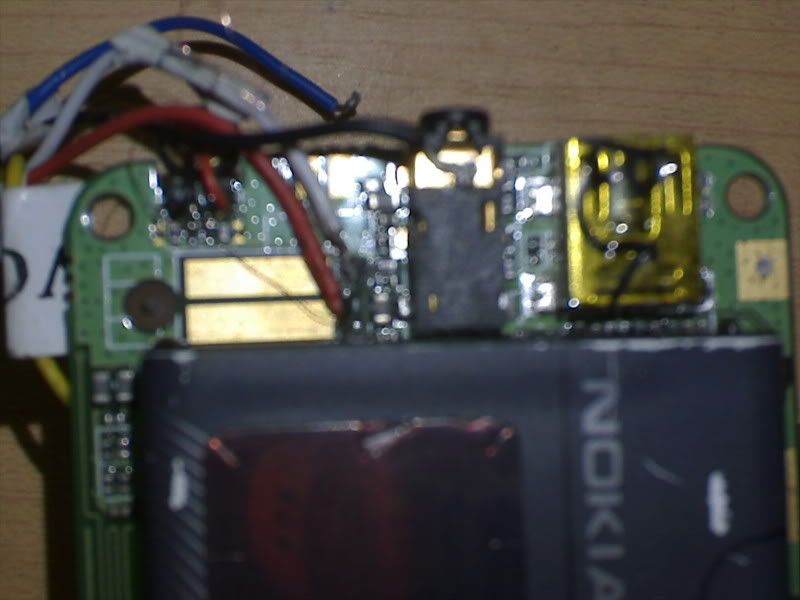 logs here: back up process: COM4 [VCP0] selected Device: Autodetect 6205-6227 NOR Checking data, wait... advanced flash detection enabled eeprom backup enabled, it may takes several minutes ! Action: read NOR flash Boot... Press and HOLD Power button now ! baud autodetection active 19200 Connecting, wait... Initializing[6226:8A02:8A01]... CPU: MT6226 chip: 0031:C9BC:429A high speed disabled boot step size: 0002 Release Power button now ! Boot Done Initialize... detecting chip #00 in region #00... flash: EC257E25082501:29EA0000000000 flash: Samsung AMD/Fujitsu std [D 0008x002000 00FEx010000 0008x002000] 16Mb detecting chip #01 in region #00... flash: EC257E25082501:29EA0000000000 flash: Samsung AMD/Fujitsu std [D 0008x002000 00FEx010000 0008x002000] 16Mb number of flash chip/regions detected: 02/01 Initialize Done Set baud... 921600 Set baud Done Identification... device parameters autodetection in progress.. detecting chip #00 in region #00... flash: EC257E25082501:29EA0000000000 flash: Samsung AMD/Fujitsu std [D 0008x002000 00FEx010000 0008x002000] 16Mb detecting chip #01 in region #00... flash: EC257E25082501:29EA0000000000 flash: Samsung AMD/Fujitsu std [D 0008x002000 00FEx010000 0008x002000] 16Mb it's time to stop: 290000EA18F09FE518F09FE518F09FE518F09FE518F09FE5 number of flash chip/regions detected: 01/01 total flash region size: 01000000 detect device identification#1... detection phase #1... detect device identification#1 finished identification#1 structure: 2nd [enhanced] generation security area#1 is Ok security area#1 backup saved: C:\Program Files\InfinityBox\ChineseMiracle\backup_security\i d.6A2C4497.[T6226_05C_PCB0 1_GPRS_MT6226_S01.A7_NOKIA_ALLLANG_V0627A.BIN_F52B 6C0A].rpl identification#1 detection finished device-id: 6A2C4497 identification#1 protocol ver: 04 ver. sw1: T6226_05C_PCB01_GPRS_MT6226_S01.A7_NOKIA_ALLLANG_V 0627A.BIN ver. sw2: A7_NOKIA_ALLLANG_V0627A, F593D40A ffs offset/size: 00E00000/00200000 detect device identification#2... detection phase #1... . warning: optional information not found detect device identification#2 finished detecting eeprom/ffs area in 1 chip(s)... standard eeprom/ffs offset detected: 00E00000 flash: EC257E25082501:29EA0000000000 checking area[00000000]: 00000000-00FFFFFF... eeprom/ffs found near: 00E00000 detecting eeprom/ffs size... eeprom/ffs size: 00200000 ffs chip: 00 eeprom/ffs area: 00000000:00E00000-00FFFFFF reading [flash[T6226_05C_PCB01_GPRS_MT6226_S01.A7_NOKIA_ALLLANG_V 0627A.BIN]]... file saved: C:\Program Files\InfinityBox\ChineseMiracle\backup_flash[T6226_05C_PCB01_GPRS_MT6226_S0 1.A7_NOKIA_ALLLANG_V0627A.BIN]_6300autoOff20080207-094139.B0M.bin file saved: C:\Program Files\InfinityBox\ChineseMiracle\backup_system_log _6A2C4497_T6226_05C_PCB01_ GPRS_MT6226_S01.A7_NOKIA_ALLLANG_V0627A.BIN_F52B6C 0A_20080207-094231.B0X.bin Finished, time used: 606 sec Remove/Install battery now ! format process: COM4 [VCP0] selected Action: reset settings Model: Autodetect 6205-6227 NOR Checking data, wait... Phone should be Switched OFF ! Press and HOLD Power button now ! 19200 Initializing[6226:8A02:8A01]... CPU: MT6226 chip: 0031:C9BC:429A Connecting, wait... Release Power button now ! Phone detected, wait... Hardware: MT6226,E02 Date: 2005.04.12 Version: 1.0 Version: A7_NOKIA_ALLLANG_V0627A Version: detecting structure #2... done 60 byte(s) read imei: 35619801240211 connection Ok building list... done items to clear: 199 157 of 199 items cleared 0 items remains Finished, time used: 225 sec Remove/Install battery now ! restore imei: Action: imei Model: Autodetect 6205-6227 NOR Checking data, wait... Phone should be Switched ON ! Connecting, wait... Phone detected, wait... Hardware version: MT6226, E02 Software version: A7_NOKIA_ALLLANG_V06 Software date: 2005.04.12 Barcode: MT012345678901234567 imei: 135790246811220 imei write method: mode-1 new imei: 356198012402113 imei verified Ok Finished, time used: 31 sec Power off phone now ! after all the process phone is now working well 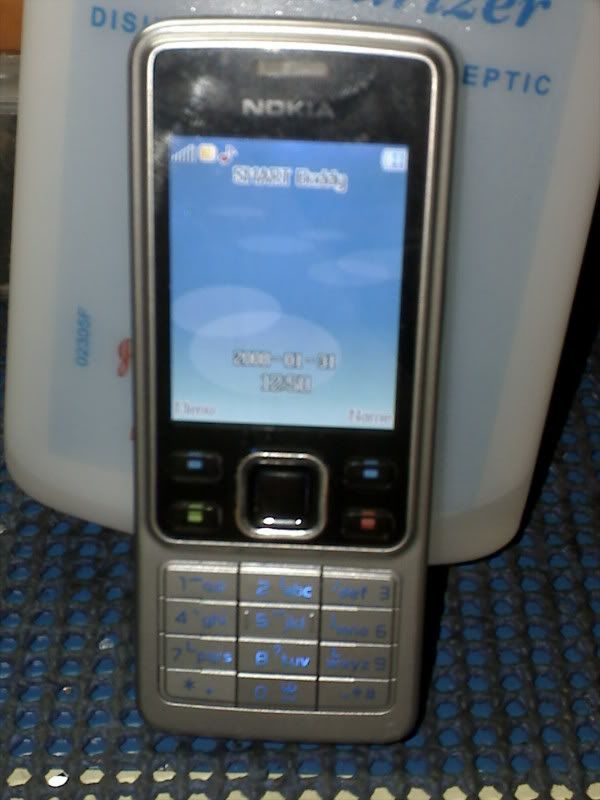 |
| |
| The Following 2 Users Say Thank You to alfox For This Useful Post: |
|
02-07-2008, 15:19
| #55 (permalink) | |
| No Life Poster  Join Date: Mar 2004 Location: world wide
Posts: 685
Member: 57836 Status: Offline Thanks Meter: 47 | 4 lines is very little to write about this Quote:
| |
| |
| The Following User Says Thank You to fethi For This Useful Post: |
|
02-08-2008, 13:15
| #56 (permalink) |
| Freak Poster  Join Date: Jun 2004 Location: jb cell world Age: 47
Posts: 392
Member: 70916 Status: Offline Thanks Meter: 56 | hai to all mem thanks to infinity team for good s/w. i need help china phone is dead, flashing ok but set is nort switching on i have flashed n95 slide,ztc a898 pls pls can any one give the working solution thx in adv |
| |
| The Following User Says Thank You to jbbasha For This Useful Post: |
|
03-06-2008, 08:57
| #58 (permalink) |
| No Life Poster Join Date: Oct 2006 Location: INDIA
Posts: 1,094
Member: 363308 Status: Offline Thanks Meter: 79 | NCKIA -5700+ successfully repaired restart with SIM Thanks Infinity team Regards ------------------- COM4 [VCP0] selected Action: reset settings Model: Autodetect 6205-6227 NOR Checking data, wait... Phone should be Switched OFF ! Press and HOLD Power button now ! 19200 autodetect Initializing[6226:8A02:8A01]... CPU: MT6226 high speed boot disabled chip: 0031:EB76:1520 Connecting, wait... Release Power button now ! Phone detected, wait... Hardware: MT6226,E02 Date: 2005.04.12 Version: 1.0 Version: E558_MY1AF.01.2_26S01 Version: M500Z_05C_HW detecting structure #2... done 60 byte(s) read imei: 35869300008514 connection Ok building list... done items to clear: 212 warning: wrong packet cs warning: wrong packet cs 209 of 212 items cleared building list... done 3 items remains Finished, time used: 57 sec Remove/Install battery now ! |
| |
| The Following User Says Thank You to GsmXplorer For This Useful Post: |
|
03-20-2008, 08:18
| #59 (permalink) |
| No Life Poster Join Date: Apr 2006 Location: IN INDIA
Posts: 1,641
Member: 263005 Status: Offline Thanks Meter: 147 | Yes The Infinity Box Is A Realy A ' Miracle ' , We Clear Many Phones With Infi. And One Think Before 2 Months We Have Get A 7 Peace Chinece Phone From A Second Sailer One Of Them Is Working But Call Not Allowed ,we Try To Format That One And Is Ok . And Copy That Flash And Try To Write Other Dead Phones, All Phones Is Okay. Costomer Is Afraid ,because People Said That Money Is Dead . We Told The Costomer .one Miracle Is Happened On Software Service Section Of Mobile Phones Called ------infinity!!!!!!!!!!!!!!!!!!!!!!!!!!!!!! (sorry For Exit Out Of 4line) |
| |
| The Following User Says Thank You to alimuamin For This Useful Post: |
|
| Bookmarks |
| Thread Tools | |
| Display Modes | |
| |
 Similar Threads
 | ||||
| Thread | Thread Starter | Forum | Replies | Last Post |
| Unlocking 5190 | Ryu | Nokia Legacy Phones ( DCT-1 ,2 ,3 ,L ) | 23 | 01-07-2018 17:14 |
| news headlines to gsm phone | mos | Nokia Legacy Phones ( DCT-1 ,2 ,3 ,L ) | 7 | 05-22-2016 11:42 |
| my 8810 is phone locked ,can somebody please help | duyphuc | Nokia Legacy Phones ( DCT-1 ,2 ,3 ,L ) | 18 | 12-23-2014 09:03 |
| need software for 5161 by cable | mln2000 | Nokia Legacy Phones ( DCT-1 ,2 ,3 ,L ) | 6 | 08-29-2010 20:17 |
|
|


 Linear Mode


